
Approvals
GxPWorkflows & Approvals
Design the approval chain your quality system requires.
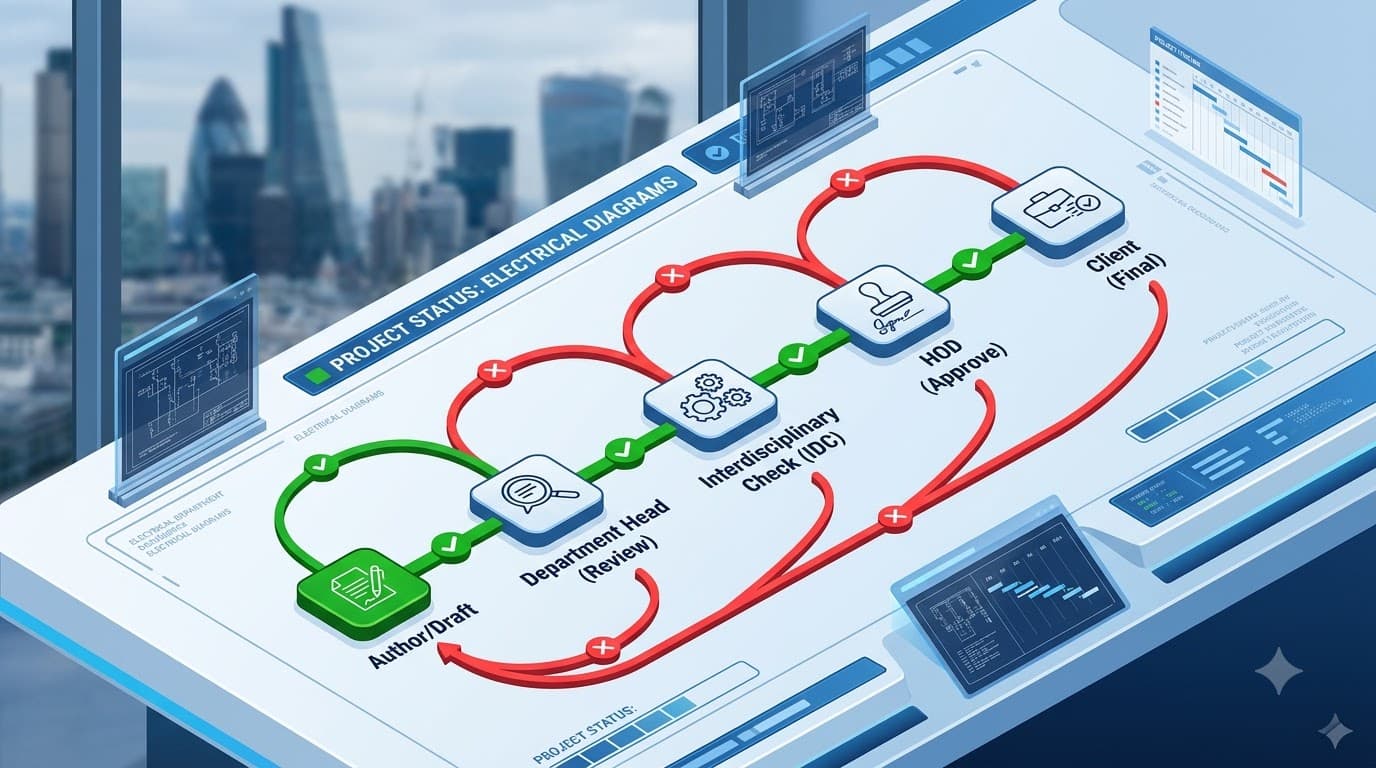
Approval chains are modeled as a graph, not a rigid line. Build stages and transitions on a drag-and-drop canvas: technical review, parallel inter-disciplinary checks, HOD sign-off, client review — with per-stage approver groups and quorums.
What you get
Built to hold up under scrutiny
Visual workflow designer
Admins compose stages and approve/reject transitions on a React-Flow canvas — no code, no tickets.
Groups with quorum
Each stage carries approver groups with any / n-of-m / all quorum, run in parallel or in sequence.
Reviewer-chosen routing
When a stage has multiple next targets, the reviewer decides — forward, back a stage, or return to the author.
Capabilities
Inside this capability
- Graph-based workflow engine, backward compatible with linear flows
- Drag-and-drop stage/transition designer
- Approver groups by department + designation, role, designation, or named user
- Quorum per group: any, n-of-m, or all
- Parallel or sequential groups within a stage
- Manual hold-and-progress so authors can incorporate comments before advancing
- Return-for-revision / changes-requested that reopens the working draft
- Per-category workflow selection with an org default
- Task inboxes, submissions view, reassignment, and a per-document timeline
- Inline review comments captured from the document, with resolve / approve / reject
How it flows
Step by step
- 1
Submit
The author submits; the document enters the category’s approval chain.
- 2
Review in parallel
Groups review — all-at-once or in order — each meeting its quorum.
- 3
Route or return
Reviewers forward, send back a stage, or return to the author to rework.
- 4
Approve
When every group passes, the stage advances toward release.
FAQ
Workflows — questions
Yes. Each category (SOP, specification, client document…) can use its own workflow, falling back to an organization default.
That’s configurable per group. A group’s quorum can be any one approver, n-of-m, or all — and any group rejecting fails the stage.
Ready to put your documents on the record?
See how YourDocVault controls the full lifecycle — with the audit trail, e-signatures and controlled copies your quality system needs.